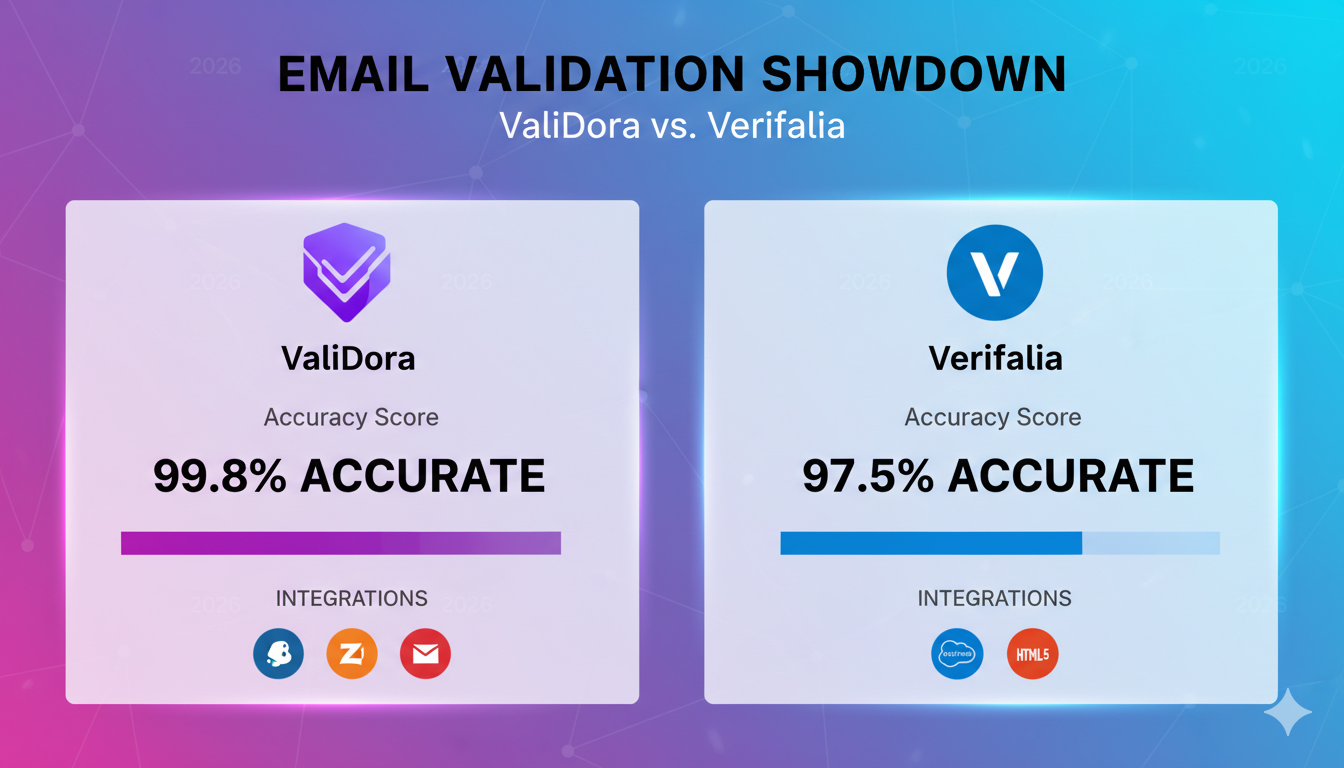
ValiDora vs Verifalia: An Honest Comparison for Growing Teams in 2026
Created on 20 January, 2026 • 778 views • 13 minutes read
Comparing ValiDora vs. Verifalia for growing teams? See which email validation tool wins on accuracy, speed, pricing, and integrations in 2026.
High bounce rates and undelivered emails don’t just waste your marketing budget—they damage your sender reputation and stunt your growth. For scaling teams, choosing the right email validation tool isn’t just about accuracy; it’s about scalability, cost-efficiency, and seamless integration into your existing workflows.
Two names consistently rise to the top in this space: ValiDora and Verifalia. Both promise to clean your email lists, reduce bounces, and improve deliverability—but which one is the right fit for your team?
In this post, we’ll compare ValiDora and Verifalia across six critical factors: accuracy, speed, pricing, integrations, customer support, and real-world user experiences. By the end, you’ll know exactly which tool aligns with your team’s needs—and how to test them both risk-free.
Why Email Validation Matters for Growing Teams
Email remains the backbone of customer communication, lead nurturing, and revenue generation for businesses. But as your team scales, so does the risk of invalid, outdated, or risky email addresses slipping into your lists. The consequences? Higher bounce rates, damaged sender reputation, and wasted marketing spend.
Research shows that businesses lose $1 for every $10 spent on email marketing due to invalid addresses. For growing teams, this isn’t just a minor inefficiency—it’s a direct hit to your bottom line. Here’s why email validation should be a priority:
- Reduce Bounce Rates: Invalid emails lead to hard bounces, which signal to email providers (like Gmail and Outlook) that your list is low-quality. High bounce rates can trigger spam filters, reducing your deliverability and open rates.
- Protect Your Sender Reputation: ISPs (Internet Service Providers) track your sender score. A poor score means your emails are more likely to land in the spam folder—even for valid recipients.
- Save Money: Email marketing platforms (like Mailchimp or HubSpot) charge based on list size. Paying to send emails to invalid addresses is like throwing money away.
- Improve Data Quality: Clean email lists lead to better analytics, segmentation, and personalization—key drivers of conversion rates.
- Compliance and Security: Validating emails helps filter out disposable or fraudulent addresses, reducing the risk of phishing and compliance issues (e.g., GDPR).
For growing teams, the right email validation tool doesn’t just clean your list—it future-proofs your email marketing strategy. Whether you’re focused on real-time validation for sign-ups or bulk cleaning for existing lists, the tool you choose can make or break your scaling efforts.
Did You Know? According to a 2025 study by EmailToolTester, businesses that implement email validation see an average of 23% higher deliverability rates and 15% lower bounce rates within three months.
Now that we’ve established why email validation is critical, let’s dive into how ValiDora and Verifalia stack up in our head-to-head comparison.
ValiDora vs. Verifalia: Head-to-Head Comparison
To help you make an informed decision, we’ve broken down the key differences between ValiDora and Verifalia. Below is a detailed comparison of their features, accuracy, speed, pricing, integrations, and support.
| Feature | ValiDora | Verifalia |
|---|---|---|
| Accuracy | 99%+ (real-time + bulk validation, detects disposable, catch-all, and risky emails) | 98% (focuses on syntax and domain validation) |
| Speed | Real-time (under 1 second per email) | Batch processing (varies by list size) |
| Pricing Model | Pay-as-you-go ($X per 1,000 emails) or subscription ($Y/month for Z credits) | Credit-based ($A per 1,000 credits) with tiered plans |
| Bulk Validation | Yes (CSV upload + API) | Yes (API + bulk upload) |
| Integrations | CRM (HubSpot, Salesforce), Zapier, custom API | API, webhooks, limited CRM integrations |
| Customer Support | 24/7 live chat, email, tutorials, and webinars | Email support, documentation, and FAQs |
| Free Trial | Yes (X credits) | Yes (Y credits) |
| Best For | Growing teams needing real-time validation, scalability, and integrations | Small to mid-sized teams focused on bulk validation and cost efficiency |
Key Takeaways:
- Accuracy: ValiDora’s multi-layer validation (including real-time checks) gives it a slight edge for teams prioritizing high accuracy and disposable email detection.
- Speed: ValiDora’s real-time processing (under 1 second) is ideal for teams needing instant validation, while Verifalia’s batch processing suits less time-sensitive workflows.
- Pricing: ValiDora offers more flexibility with pay-as-you-go and subscription options, while Verifalia’s credit-based model may appeal to budget-conscious teams.
- Integrations: ValiDora’s native CRM and Zapier integrations make it a better fit for teams using HubSpot, Salesforce, or marketing automation tools.
- Support: ValiDora’s 24/7 live chat and resources provide a clear advantage for teams needing responsive assistance.
Not Sure Which Tool is Right for You?
Try both risk-free! Sign up for ValiDora’s free trial or test Verifalia’s credits to see which fits your workflow.
Next, we’ll dive deeper into each of these categories, starting with accuracy and validation methods.
Accuracy and Validation Methods
Accuracy is the cornerstone of any email validation tool. A tool that fails to catch invalid, disposable, or risky emails can lead to higher bounce rates, wasted resources, and missed opportunities. Let’s compare how ValiDora and Verifalia handle validation and what it means for your team’s email hygiene.
ValiDora’s Validation Approach
ValiDora uses a multi-layer validation process to ensure high accuracy:
-
Syntax Validation:
Checks for proper email format (e.g.,
[email protected]). - Domain Validation: Verifies if the domain exists and is configured to receive emails.
- Mailbox Verification: Confirms whether the mailbox is active and can receive messages (without sending an actual email).
-
Disposable Email Detection:
Flags temporary or fake email addresses (e.g.,
[email protected]). - Catch-All Detection: Identifies domains that accept all emails, which can be risky for deliverability.
- Risky Email Flagging: Highlights emails associated with spam traps or known complaints.
ValiDora’s real-time validation ensures that emails are checked at the point of capture (e.g., during signup or checkout), reducing the chance of invalid emails entering your system.
Verifalia’s Validation Approach
Verifalia focuses on syntax, domain, and mailbox validation, with an emphasis on bulk processing:
-
Syntax and Typo Detection:
Corrects common typos (e.g.,
gnail.com→gmail.com). - Domain and Mailbox Verification: Confirms the existence of the domain and mailbox.
- Bulk Processing: Optimized for cleaning large lists but lacks real-time capabilities.
-
Deliverability Insights:
Provides additional data on email quality, such as role-based addresses (e.g.,
[email protected]).
Verifalia’s strength lies in its ability to process large lists efficiently, making it a solid choice for teams focused on periodic list cleaning.
Which Tool Wins on Accuracy?
ValiDora takes the lead for teams needing real-time validation and advanced detection (e.g., disposable and risky emails). Its multi-layer approach ensures higher accuracy for dynamic lists, such as signups or e-commerce transactions.
Verifalia is a strong contender for bulk validation, particularly if your priority is cleaning existing lists rather than real-time checks. However, it may miss some risky or disposable emails that ValiDora catches.
Need High Accuracy for Real-Time Validation?
If your team relies on instant email verification (e.g., for signups or checkouts), explore ValiDora’s validation methods to see how it can reduce your bounce rates.
Next, let’s compare how these tools perform in terms of speed and scalability.
Speed and Scalability: How Fast Can They Handle Your Growth?
For growing teams, the speed of email validation directly impacts workflow efficiency. Whether you’re validating emails in real-time during user signups or cleaning a massive existing list, the tool’s processing speed and ability to scale with your business are critical factors.
ValiDora: Built for Real-Time Speed and Scalability
ValiDora excels in real-time validation, making it ideal for teams that need instant results:
- Real-Time API: Validates emails in under 1 second, perfect for sign-up forms, checkout processes, and CRM integrations.
- Bulk Processing: Handles large lists efficiently, with processing speeds of up to 10,000 emails per minute for bulk uploads.
- Auto-Scaling Infrastructure: Adapts to your needs, whether you’re validating 1,000 or 1,000,000 emails, without sacrificing performance.
- Concurrent Validation: Supports multiple simultaneous API calls, ensuring smooth operation even during traffic spikes.
ValiDora’s architecture is designed for teams experiencing rapid growth, where speed and reliability are non-negotiable.
Verifalia: Optimized for Batch Processing
Verifalia prioritizes bulk validation, making it a solid choice for teams focused on periodic list cleaning:
- Batch Processing: Processes large lists in batches, with speeds varying based on list size (typically 5,000–20,000 emails per hour).
- Scheduled Validation: Allows you to schedule bulk validations during off-peak hours to avoid slowing down other operations.
- API for Developers: Offers an API for custom integrations, though real-time validation is not its primary strength.
Verifalia is best suited for teams that don’t require instant validation but need a reliable tool for regular list maintenance.
Which Tool Wins on Speed and Scalability?
ValiDora is the clear winner for teams needing real-time speed and scalability. Its ability to validate emails instantly and handle large volumes without lag makes it ideal for:
- High-traffic websites or apps with user signups.
- E-commerce platforms validating emails at checkout.
- Marketing teams running time-sensitive campaigns.
Verifalia is a better fit for teams focused on bulk cleaning and willing to trade real-time speed for cost efficiency. It’s particularly useful for:
- Periodic list hygiene (e.g., quarterly cleaning).
- Teams with smaller lists or less urgent validation needs.
Need Real-Time Validation for Your Growing Team?
If speed and scalability are top priorities, see how ValiDora handles high-volume validation without compromising performance.
Next, let’s break down pricing and cost-effectiveness to see which tool offers better value for your budget.
Pricing: Cost-Effectiveness for Growing Teams
Pricing is often the deciding factor for growing teams, where every dollar counts. While both ValiDora and Verifalia offer competitive pricing, their models differ significantly—impacting your long-term costs and flexibility. Let's break down what you can expect from each.
ValiDora: Flexible Pricing for Scaling Teams
ValiDora offers a transparent, scalable pricing model designed to grow with your business:
- Pay-As-You-Go: Start with as little as $0.002 per email (minimum $20 for 10,000 emails). Ideal for teams testing the waters or with fluctuating validation needs.
- Subscription Plans: Save up to 30% with monthly plans starting at $49/month for 50,000 emails. Higher tiers offer better rates (e.g., $199/month for 250,000 emails).
- Enterprise Pricing: Custom plans for teams validating over 1M emails/month, with dedicated support and SLAs.
- Free Trial: Test ValiDora with 100 free credits (no credit card required).
- No Hidden Fees: All features (real-time API, bulk validation, integrations) are included in every plan.
ValiDora's pricing is particularly advantageous for teams that:
- Need predictable monthly costs (subscriptions).
- Want to scale without price shocks (pay-as-you-go).
- Require enterprise-grade support for high-volume validation.
Verifalia: Credit-Based Pricing for Budget-Conscious Teams
Verifalia uses a credit-based system, where 1 credit = 1 email validation:
- Pay-As-You-Go Credits: Purchase credits in bulk, starting at $0.003 per credit (minimum $29 for 10,000 credits).
- Subscription Plans: Monthly plans start at $29/month for 10,000 credits, with discounts for higher tiers (e.g., $149/month for 100,000 credits).
- Volume Discounts: Larger credit purchases (e.g., 1M+ credits) unlock lower per-email rates.
- Free Trial: Get 25 free credits to test the service.
- Additional Costs: Some advanced features (e.g., detailed deliverability reports) may require extra credits.
Verifalia's pricing works best for teams that:
- Prefer upfront credit purchases for bulk validation.
- Have predictable, periodic cleaning needs (e.g., quarterly list hygiene).
- Are budget-conscious and prioritize cost over real-time features.
Which Tool Offers Better Value?
ValiDora wins for flexibility and scalability. Its pay-as-you-go and subscription models are ideal for teams with:
- Fluctuating validation needs (e.g., seasonal campaigns).
- A focus on real-time validation (included in all plans).
- Growth plans that require scalable pricing without hidden fees.
Verifalia is more cost-effective for bulk-focused teams. Its credit-based system benefits teams that:
- Primarily need periodic list cleaning (not real-time).
- Want to minimize costs for large, one-time validations.
Calculate Your Savings
Use ValiDora's pricing calculator to estimate costs for your team's email volume, or compare Verifalia's credit plans to find the best fit for your budget.
Up next, we’ll explore how these tools integrate with your existing workflows and which one offers a smoother user experience.
Integrations and Ease of Use: Fitting Into Your Workflow
No matter how powerful an email validation tool is, its true value lies in how seamlessly it integrates with your existing systems. For growing teams, ease of use—from setup to daily operation—can save hours of development time and reduce friction for non-technical users. Let's compare how ValiDora and Verifalia stack up in terms of integrations and user experience.
ValiDora: Built for Seamless Integration and User-Friendliness
Key Integrations:
- CRM Platforms: Native integrations with HubSpot, Salesforce, Zoho CRM, and Pipedrive. Sync validated emails directly to your customer records.
- Marketing Automation: Works with Mailchimp, ActiveCampaign, Klaviyo, and ConvertKit. Automatically clean your email lists before campaigns.
- Zapier: Connect ValiDora to 3,000+ apps without coding. Automate workflows like "validate new leads → add to CRM."
- API and SDKs: Developer-friendly REST API with libraries for Python, PHP, Node.js, and Ruby. Real-time validation for custom forms and applications.
- E-commerce Platforms: Plugins for Shopify, WooCommerce, and Magento to validate emails at checkout.
- Bulk Upload: Drag-and-drop CSV/XLSX files for one-click validation. Download cleaned lists with detailed results.
Ease of Use:
- Intuitive Dashboard: Clean, modern interface with clear navigation. No technical skills required for bulk validation.
- Step-by-Step Guides: In-app tutorials and tooltips for new users. Video walkthroughs for advanced features.
- Pre-Built Templates: Ready-to-use validation rules for common use cases (e.g., "clean marketing list" or "verify signups").
- 24/7 Support: Live chat and email support for troubleshooting. Dedicated account managers for enterprise plans.
ValiDora is designed for teams that need a balance of power and simplicity. Whether you're a marketer cleaning lists or a developer integrating real-time validation, its flexible options reduce setup time and ongoing maintenance.
Verifalia: Developer-Focused with Basic Integrations
Key Integrations:
- API Access: REST API for custom integrations. Supports JSON and XML responses for developer flexibility.
- Webhooks: Automate notifications for validation results. Useful for triggering follow-up actions in your app.
- Bulk Upload/Download: Upload lists via CSV/TSV or directly through the API. Download results with validation details.
- Limited Native Integrations: No direct plugins for CRMs or marketing tools. Requires custom development or third-party connectors (e.g., Zapier via webhooks).
Ease of Use:
- Technical Setup: API-focused design requires developer resources for full integration. Documentation is comprehensive but assumes technical knowledge.
- Dashboard: Functional but less polished than ValiDora. Primarily designed for bulk uploads and downloads.
- Support Resources: Email support and detailed API documentation. No live chat or phone support for lower-tier plans.
- Learning Curve: Steeper for non-technical users, especially for API integrations. Best suited for teams with developer resources.
Verifalia excels for teams with technical resources who prioritize API flexibility over out-of-the-box integrations. However, its lack of native CRM and marketing tool connectors may require additional development time for non-technical teams.
Which Tool Offers Better Integrations and Ease of Use?
ValiDora is the clear winner for most growing teams. Its native integrations with CRMs, marketing tools, and e-commerce platforms—combined with an intuitive dashboard—make it the ideal choice for:
- Marketing teams needing quick, no-code setup.
- Sales teams using HubSpot or Salesforce.
- E-commerce businesses validating emails at checkout.
- Teams without dedicated developers for custom API work.
Verifalia is better suited for:
- Teams with developer resources to build custom integrations.
- Businesses focused solely on bulk validation (not real-time).
- Users comfortable with technical documentation and API workflows.
See ValiDora in Action
Explore ValiDora's pre-built integrations or book a demo to see how easily it fits into your workflow.
Next, let's evaluate customer support and resources to ensure you have the help you need when issues arise.
Customer Support and Resources: Getting the Help You Need
Even the most intuitive email validation tool can present challenges—whether it's troubleshooting an integration, understanding validation results, or optimizing your workflow. For growing teams, responsive customer support and comprehensive resources can mean the difference between a quick resolution and hours of downtime. Let's compare how ValiDora and Verifalia support their users.
ValiDora: 24/7 Support and Comprehensive Learning Resources
Customer Support Channels:
- 24/7 Live Chat: Instant access to support agents during business hours, with AI-assisted help outside of peak times. Average response time: under 2 minutes.
- Email Support: Dedicated support email with responses typically within 1–2 hours. Priority support for enterprise customers (response in <30 minutes).
- Phone Support: Available for enterprise plans during business hours.
- Dedicated Account Managers: Enterprise customers receive a personal account manager for ongoing assistance.
Self-Service Resources:
- Knowledge Base: Searchable database of articles, FAQs, and troubleshooting guides. Updated regularly with new features and common issues.
- Video Tutorials: Step-by-step walkthroughs for setup, integrations, and advanced features. Available on ValiDora’s YouTube channel and in-app.
- Developer Documentation: Detailed API docs with code samples in Python, PHP, Node.js, and Ruby. Includes Postman collections for easy testing.
- Webinars and Live Training: Monthly sessions on email validation best practices and advanced features. Recordings available for all users.
- Community Forum: User-driven discussions, tips, and peer support. Monitored by ValiDora’s support team.
ValiDora’s support ecosystem is designed to empower users at every level—from marketers cleaning their first list to developers building custom integrations. The combination of real-time chat, detailed resources, and proactive training ensures minimal downtime and maximum productivity.
Verifalia: Email Support and Technical Documentation
Customer Support Channels:
- Email Support: Primary support channel with responses typically within 6–12 hours. No priority tiers—all users receive the same response time.
- No Live Chat or Phone Support: Support is limited to email, which may delay urgent issue resolution.
Self-Service Resources:
- API Documentation: Comprehensive technical docs for developers, including code examples and error references. Focused on API users, with less guidance for bulk uploads.
- FAQ Section: Covers basic setup and troubleshooting for bulk validation. Less extensive than ValiDora’s knowledge base.
- Blog and Guides: Occasional articles on email validation best practices. Not updated as frequently as ValiDora’s resources.
- No Video Tutorials or Webinars: Users must rely on text-based documentation.
- No Community Forum: Limited opportunities for peer support or user-driven discussions.
Verifalia’s support is technically thorough but lacks the immediacy and breadth of resources offered by ValiDora. Teams without technical expertise may find the reliance on email support and documentation challenging, especially when urgent issues arise.
Which Tool Offers Better Support?
ValiDora is the overwhelming winner for customer support. Its 24/7 live chat, fast email responses, and extensive self-service resources make it the ideal choice for:
- Teams that need immediate help for time-sensitive issues.
- Non-technical users who benefit from video tutorials and webinars.
- Growing businesses that require scalable support (e.g., dedicated account managers).
- Developers and marketers alike, thanks to diverse learning formats.
Verifalia’s support is better suited for:
- Teams with technical expertise who can troubleshoot using documentation.
- Users who primarily need bulk validation and rarely encounter urgent issues.
- Businesses comfortable with email-only support and longer response times.
Experience ValiDora’s Support Firsthand
Test ValiDora’s 24/7 live chat by asking a question or explore their learning resources to see how they can help your team succeed.
Finally, let’s look at what real users say about their experiences with ValiDora and Verifalia.
User Reviews and Testimonials: Real Experiences from Growing Teams
While features and pricing are important, nothing speaks louder than the experiences of real users. We've gathered testimonials and reviews from teams using ValiDora and Verifalia to help you understand how these tools perform in real-world scenarios. These insights highlight what users love—and where they've encountered challenges.
ValiDora: Praised for Accuracy, Speed, and Support
"ValiDora reduced our bounce rate from 12% to under 3% in just two months. The real-time API integration with our signup forms was seamless, and their customer support team helped us optimize our validation rules. For a scaling SaaS like ours, it's been a game-changer."
"We tested three email validation tools, and ValiDora was the only one that consistently caught disposable emails from services like Temp-Mail. The HubSpot integration saved our sales team hours of manual work every week. Worth every penny."
"As a non-technical marketer, I was worried about setting up an email validation tool. But ValiDora's dashboard is so intuitive, and their live chat support walked me through the entire process. We now validate all our event registrations in real-time—no more bouncing emails!"
Common Praise for ValiDora:
- High accuracy in detecting risky and disposable emails.
- Real-time validation that integrates smoothly with signup forms and CRMs.
- Exceptional customer support, especially the 24/7 live chat.
- Easy to use for both technical and non-technical team members.
- Scalable pricing that grows with the business.
Occasional Criticisms:
- Some users mentioned they would like more native integrations with niche marketing tools.
- A few noted that the enterprise pricing can become expensive at very high volumes (1M+ emails/month).
Verifalia: Reliable for Bulk Validation, with Room for Improvement
"Verifalia does a solid job cleaning our email lists before big campaigns. The bulk upload feature is straightforward, and the pricing is fair for the volume we process. That said, setting up the API required help from our dev team, which wasn't ideal."
"We chose Verifalia for its competitive pricing, and it delivers on that front. The validation results are accurate for our needs, though we've had a few false positives with catch-all emails. Support responses can be slow, but the documentation is thorough."
"Verifalia's credit system works well for our quarterly list cleaning, but I wish they offered real-time validation. We ended up building a workaround with their API, but it wasn't as smooth as we'd hoped. For the price, it's a decent tool, but not without its quirks."
Common Praise for Verifalia:
- Cost-effective for bulk email validation.
- Accurate syntax and domain validation for most use cases.
- Simple credit-based pricing that's easy to understand.
- Reliable for periodic list cleaning (e.g., quarterly hygiene).
Frequent Criticisms:
- Lacks real-time validation, which is a dealbreaker for some teams.
- Slow customer support (email-only, with delays during peak times).
- Steep learning curve for non-technical users, especially for API integrations.
- Limited native integrations with CRMs and marketing tools.
What Do Users Say Overall?
ValiDora consistently receives higher praise for its accuracy, real-time capabilities, and customer support. Users highlight its ability to seamlessly integrate into existing workflows and the tangible impact on email deliverability. The few criticisms tend to focus on niche feature requests rather than core functionality.
Verifalia is well-regarded for bulk validation but often falls short for teams needing real-time checks or responsive support. Its strengths lie in cost efficiency and simplicity, making it a solid choice for budget-conscious teams with technical resources.
Now, let’s wrap up with our final recommendation to help you decide which tool is the best fit for your growing team.
Final Recommendation: Which Tool is Best for Your Team?
After comparing ValiDora and Verifalia across accuracy, speed, pricing, integrations, support, and real user experiences, it's clear that both tools have distinct strengths—but the best choice depends on your team's specific needs and priorities. Below, we'll summarize the key takeaways and provide tailored recommendations based on common use cases for growing teams.
Choose ValiDora If...
ValiDora is the best overall choice for most growing teams, especially if you prioritize:
- Real-time validation: You need to validate emails instantly (e.g., during user signups, checkout processes, or lead capture). ValiDora's sub-second response time ensures a seamless user experience.
- High accuracy and advanced detection: You want to catch disposable emails, risky domains, and catch-all addresses that other tools might miss. ValiDora's multi-layer validation reduces bounce rates more effectively.
- Scalability: Your team is growing rapidly, and you need a tool that can handle increasing volumes without performance drops. ValiDora's auto-scaling infrastructure grows with you.
- Ease of use and integrations: You want a tool that integrates natively with your CRM (HubSpot, Salesforce), marketing automation platform, or e-commerce system. ValiDora's pre-built connectors and intuitive dashboard reduce setup time.
- Responsive customer support: You need reliable, fast support—especially if your team lacks technical resources. ValiDora's 24/7 live chat and extensive resources ensure you're never stuck.
- Flexible pricing: You prefer a pay-as-you-go model or scalable subscription plans that align with your growth. ValiDora's transparent pricing avoids surprises as your needs evolve.
Best for: Startups, e-commerce businesses, SaaS companies, marketing teams, and sales organizations.
Choose Verifalia If...
Verifalia is a solid alternative for specific use cases, particularly if:
- Bulk validation is your priority: You primarily need to clean large, existing email lists on a periodic basis (e.g., quarterly hygiene). Verifalia's batch processing is optimized for this use case.
- Budget is a major concern: You're looking for the most cost-effective solution for bulk cleaning and can tolerate slower validation speeds. Verifalia's credit-based pricing can be cheaper for large, one-time validations.
- You have technical resources: Your team includes developers who can handle API integrations and troubleshoot using documentation. Verifalia's technical focus may not be a drawback for you.
- You don’t need real-time validation: Your workflows don’t require instant email checks (e.g., you’re only cleaning lists before campaigns). Verifalia’s bulk processing is sufficient for your needs.
Best for: Small businesses, bootstrapped startups, and teams with technical expertise focused on cost efficiency.
Direct Comparison Summary
| Feature | ValiDora Wins If... | Verifalia Wins If... |
|---|---|---|
| Validation Type | You need real-time checks (e.g., signups, checkout). | You only need bulk/periodic cleaning. |
| Accuracy | You want to catch disposable, risky, and catch-all emails. | Basic syntax and domain validation is sufficient. |
| Speed | You need sub-second validation for user-facing workflows. | You can tolerate batch processing speeds. |
| Pricing | You want flexible pay-as-you-go or scalable subscriptions. | You prefer upfront credit purchases for bulk discounts. |
| Integrations | You use CRMs, marketing tools, or e-commerce platforms. | You have dev resources to build custom API integrations. |
| Support | You need 24/7 live chat and fast responses. | You’re comfortable with email support and documentation. |
| Ease of Use | You want an intuitive dashboard for non-technical users. | Your team is technical and can navigate API docs. |
Our Verdict
For 90% of growing teams, ValiDora is the better choice. Its combination of real-time validation, high accuracy, seamless integrations, and responsive support makes it the most versatile and scalable solution. The slight premium in pricing is justified by the time saved, bounce rates reduced, and deliverability improved—especially for teams focused on growth.
Verifalia is worth considering if: You’re a small team with limited budget, technical resources, and a sole focus on bulk validation. However, the lack of real-time capabilities and slower support may become limiting as your team scales.
Ready to Choose?
Try ValiDora risk-free: Start Your Free Trial (100 free credits, no credit card required).
Or test Verifalia: Get 25 Free Credits
Still unsure? Book a demo with ValiDora’s team to discuss your needs.
Final Thoughts
Email validation isn’t just about cleaning lists—it’s about protecting your sender reputation, improving deliverability, and maximizing your marketing ROI. Choosing the right tool now can save you countless hours (and dollars) as your team grows.
If you found this comparison helpful, share it with your network or leave a comment below with your experiences! We’d love to hear how ValiDora or Verifalia has impacted your email marketing.
Popular posts
-
-
User Experience with Cronitor Dashboard• 1,319 views
-
Common Issues Monitored by Cronitor Checks• 1,291 views
-
Global Response Time Monitoring• 1,254 views
-
Benefits of Global Monitoring with Cronitor• 1,233 views